
How to Connect Your Quiz to Mailchimp
Connect Mailchimp with QuizyPilot to automatically send every new quiz lead to your Mailchimp audience. You can also sync quiz answers as merge fields for segmentation and personalized email campaigns.
Before You Begin
Make sure you have:
- A QuizyPilot account
- A Mailchimp account
- At least one published quiz
- A Mailchimp Audience created
Step 1: Connect Mailchimp
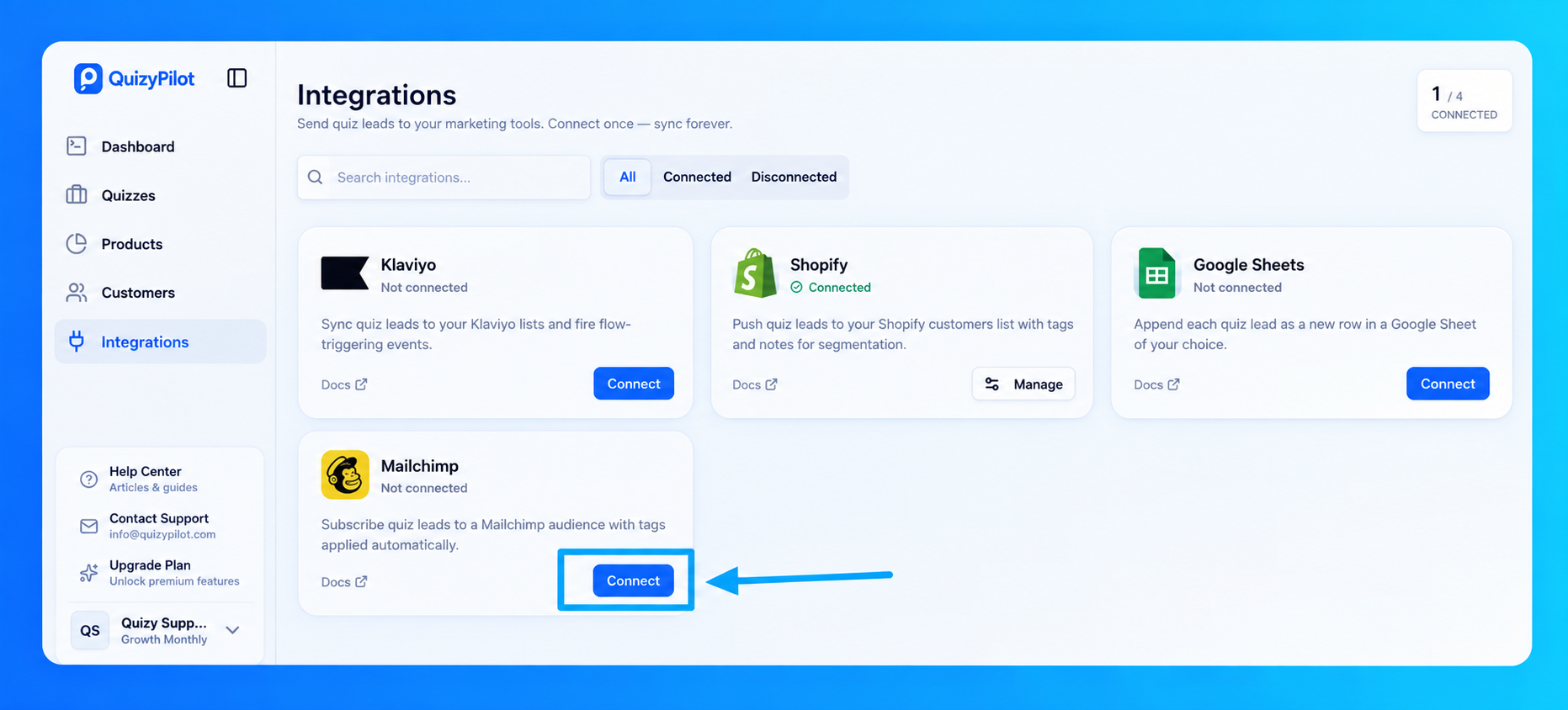
Open Integrations from your QuizyPilot dashboard.
Find Mailchimp and click Connect.
Step 2: Authorize QuizyPilot
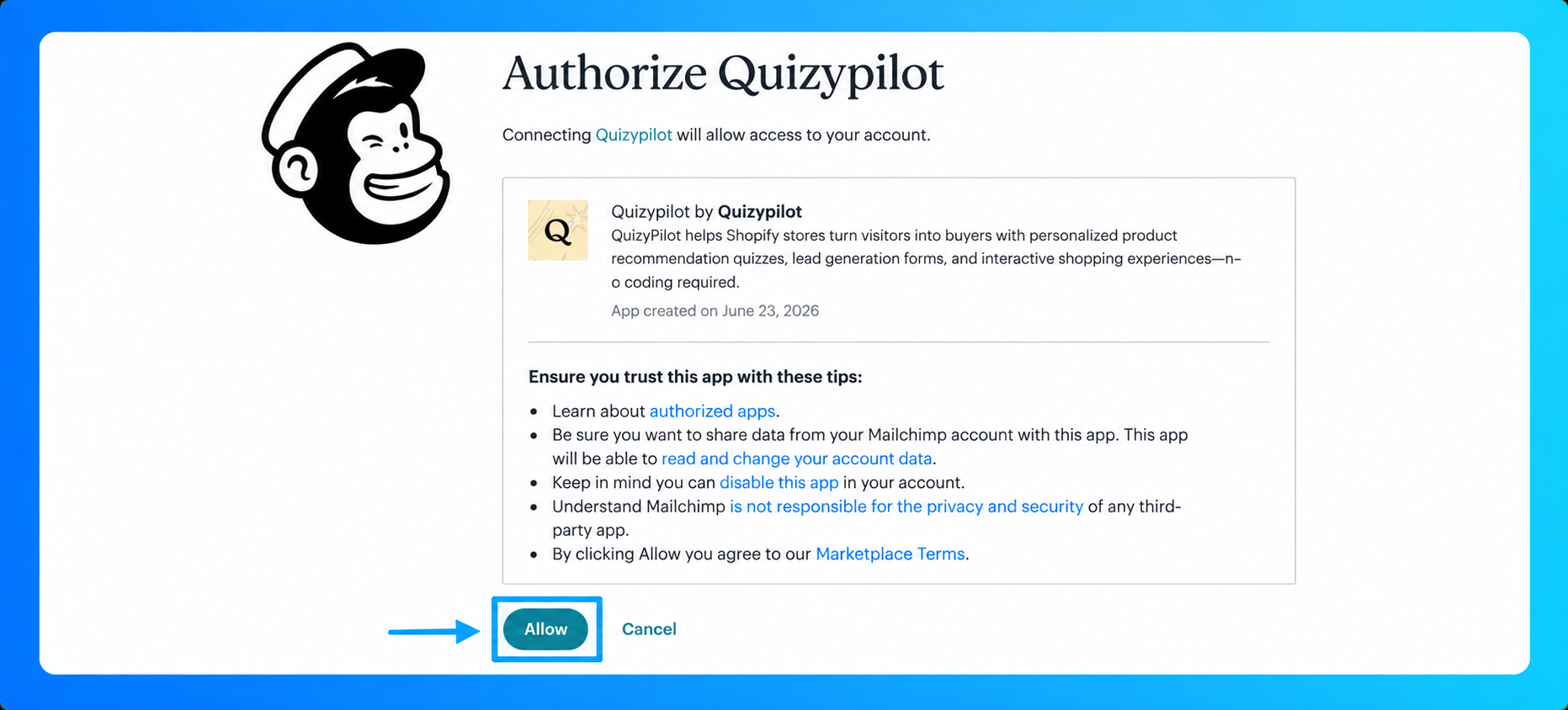
You'll be redirected to Mailchimp.
Click Allow to authorize QuizyPilot to access your Mailchimp account.
Step 3: Open the Integration Settings
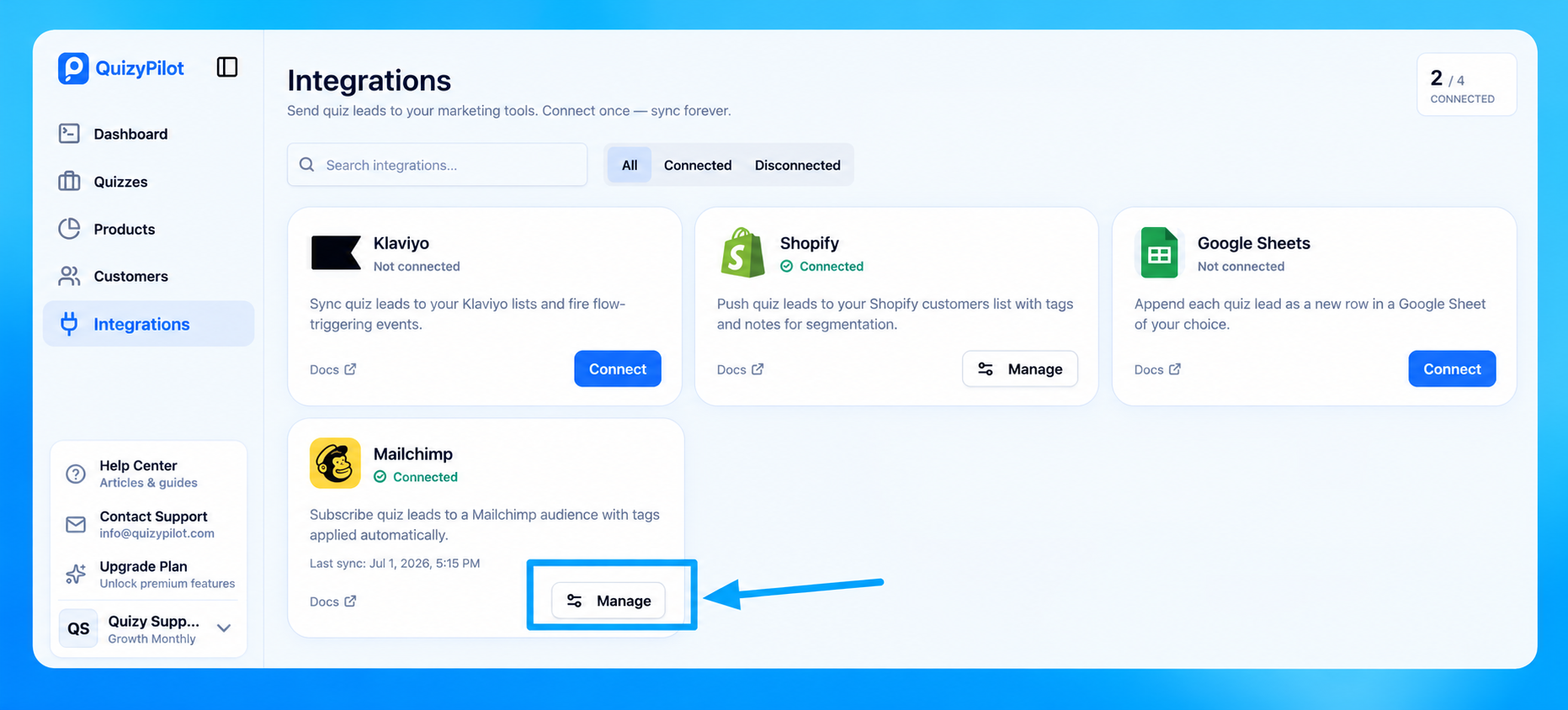
After authorization, you'll return to QuizyPilot.
The Mailchimp integration will now show as Connected.
Click Manage to configure your quizzes.
Step 4: Enable Mailchimp for Your Quiz
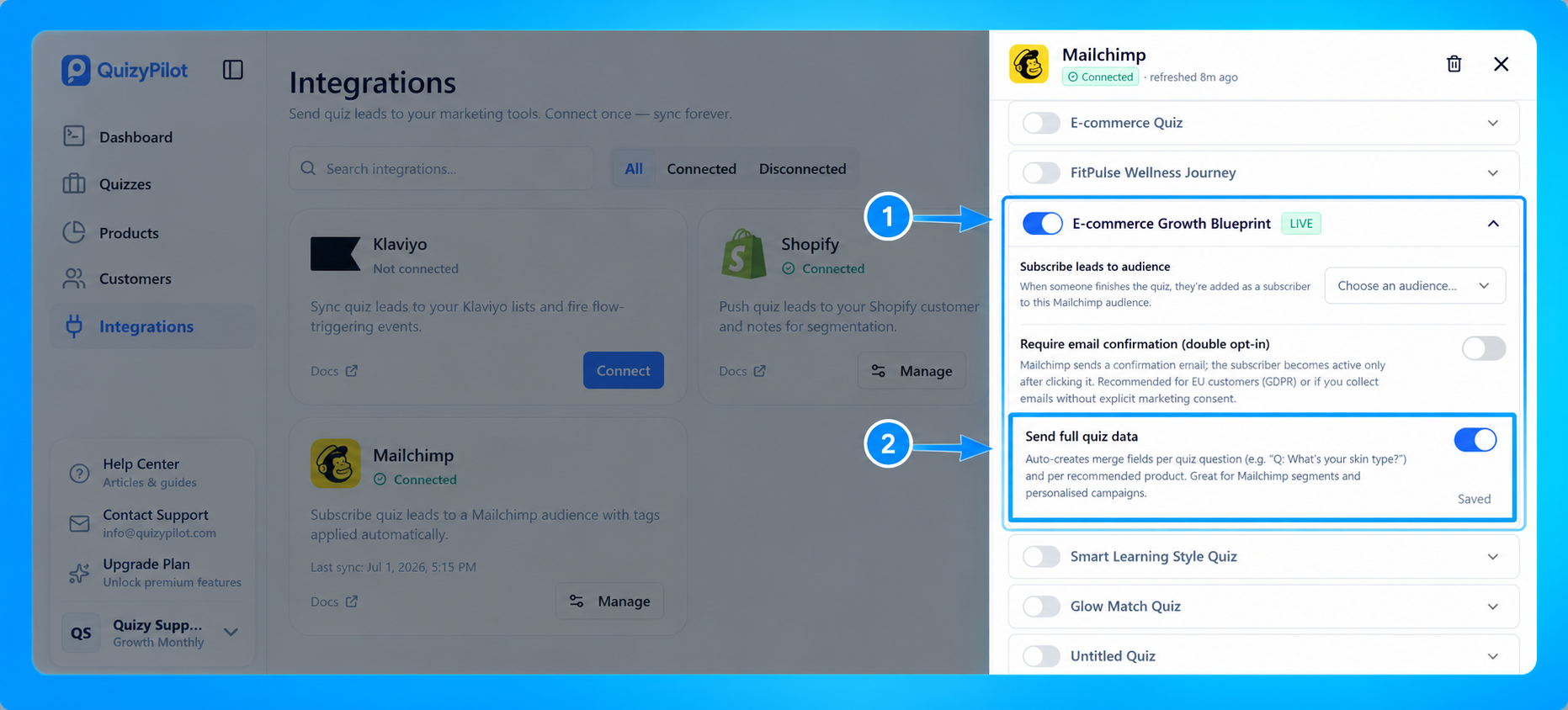
Inside the Mailchimp settings:
- Enable the quiz you want to connect.
- Select the Mailchimp Audience where new subscribers should be added.
- (Optional) Enable Require email confirmation (Double Opt-in) if you want subscribers to confirm their email before joining your audience.
- Enable Send Full Quiz Data if you want every quiz answer to be synced to Mailchimp merge fields.
Once enabled, your settings are saved automatically.
Step 5: Complete Your Quiz
Publish your quiz and submit a test response using a new email address.
Every completed submission will automatically be sent to your selected Mailchimp audience.
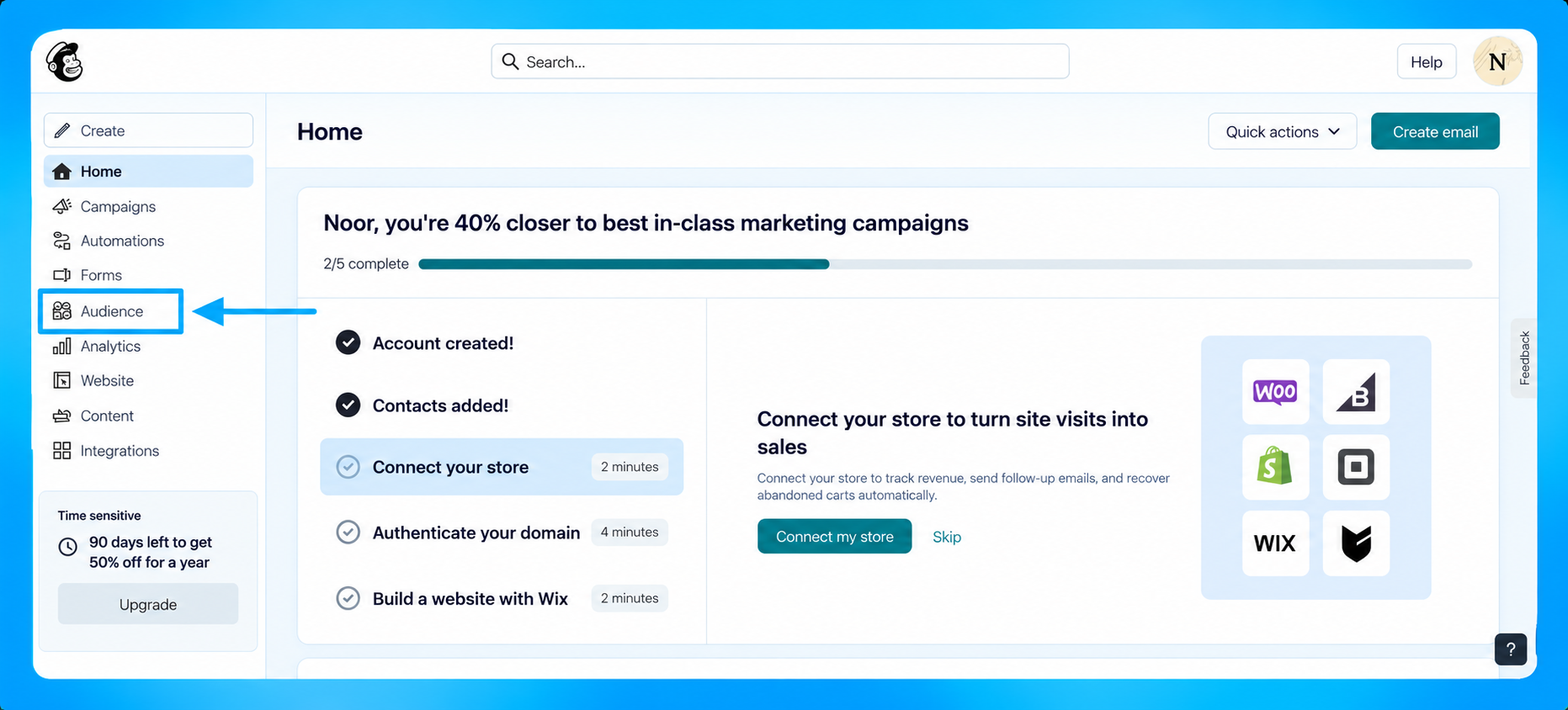
Step 6: Open Your Mailchimp Audience
Log in to Mailchimp.
From the left menu, navigate to:
Audience → Contacts
You'll see every quiz lead added as a subscriber.
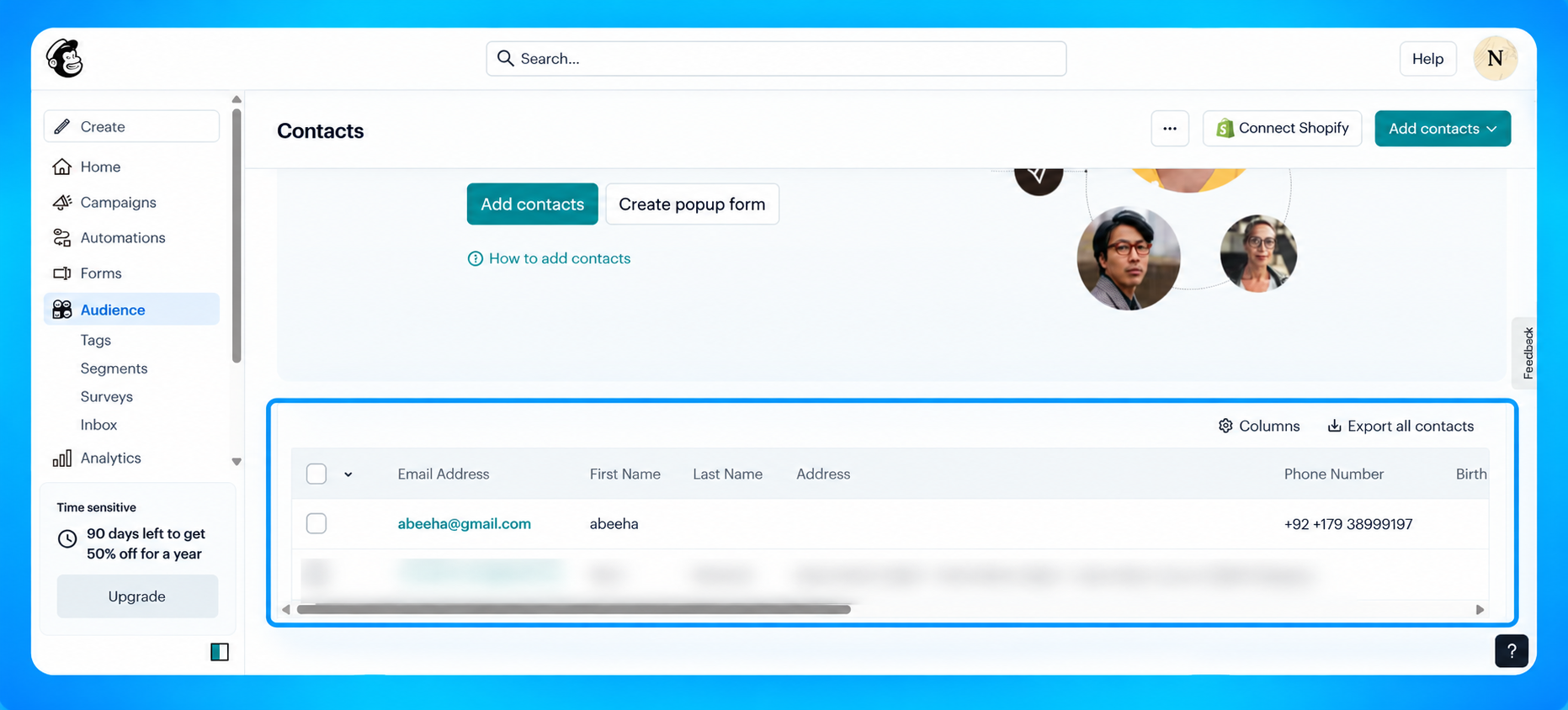
Step 7: View the Subscriber
Click on the subscriber you want to view.
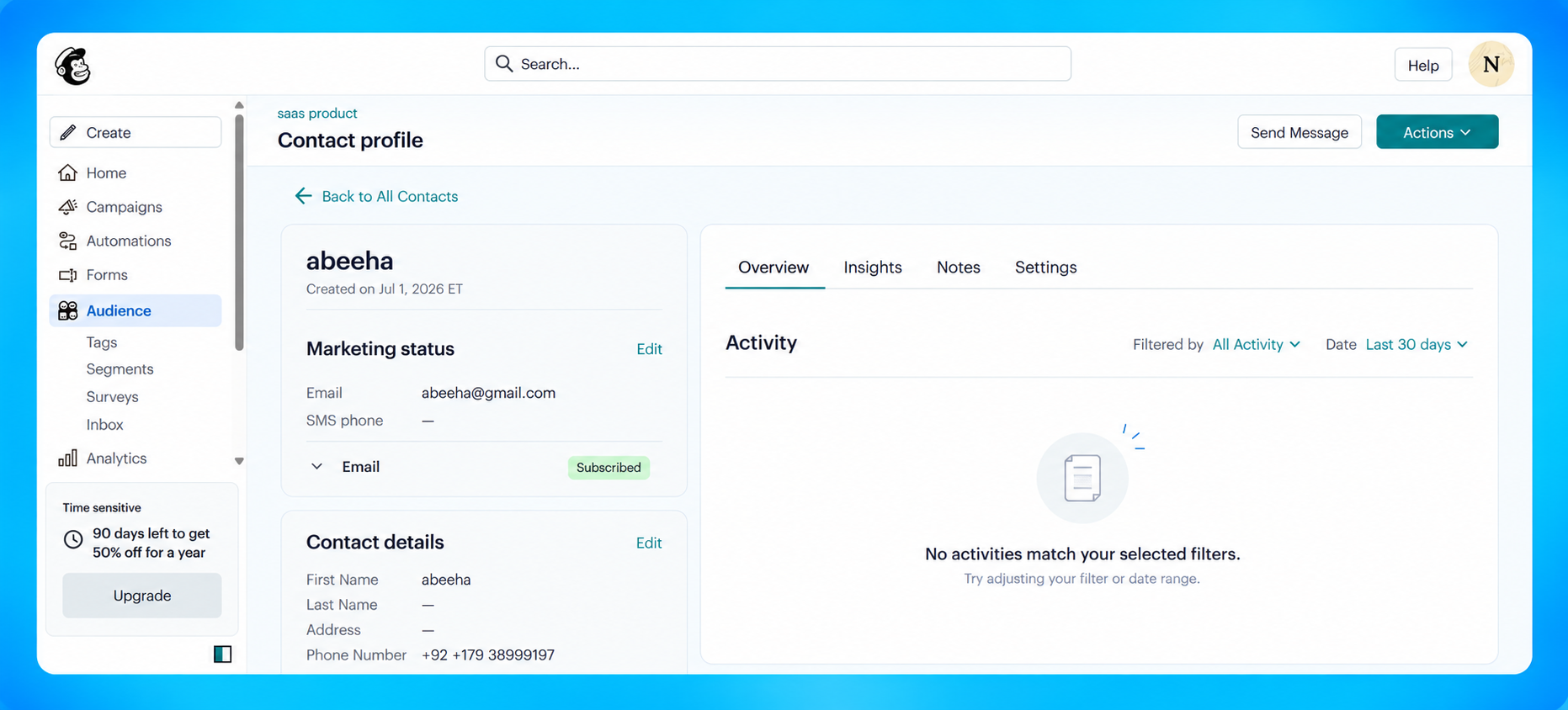
Here you'll find:
- Email address
- Name
- Phone number (if collected)
- Marketing subscription status
- Contact details
If Send Full Quiz Data is enabled, the quiz responses will also be available as Mailchimp merge fields for segmentation and personalization.
You're All Set!
Your QuizyPilot quiz is now connected to Mailchimp.
Every new quiz submission will automatically:
- Add or update a subscriber in your selected Mailchimp Audience.
- Sync contact information.
- Send quiz answers as merge fields (when Send Full Quiz Data is enabled).
- Help you build targeted email campaigns and customer segments.