
QuizyPilot makes it easy to add products for your quizzes and product recommendation funnels.
Follow these simple steps to create and manage products inside QuizyPilot.
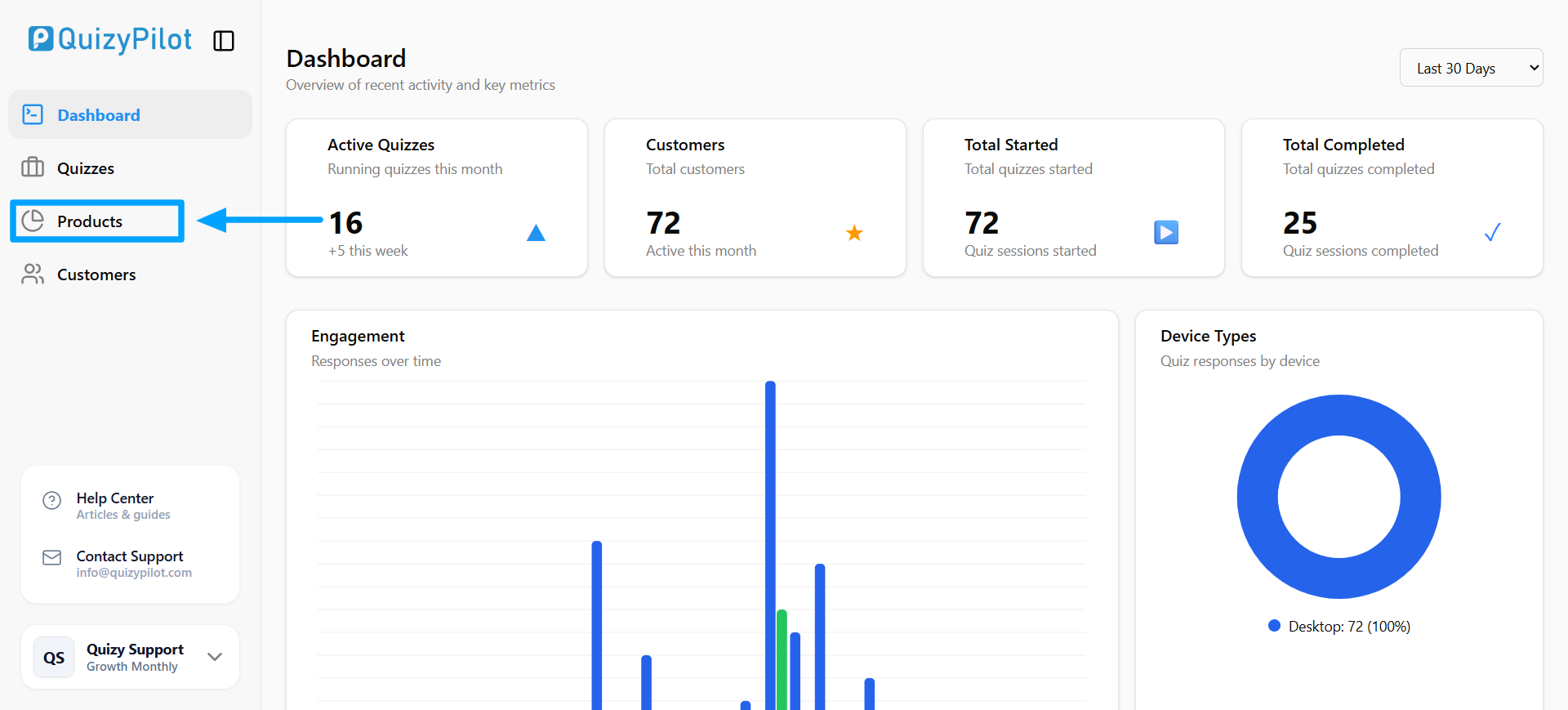
Step 1: Open the Products Section
After logging into QuizyPilot, click Products from the left sidebar menu.
This section is where all your quiz products are managed.
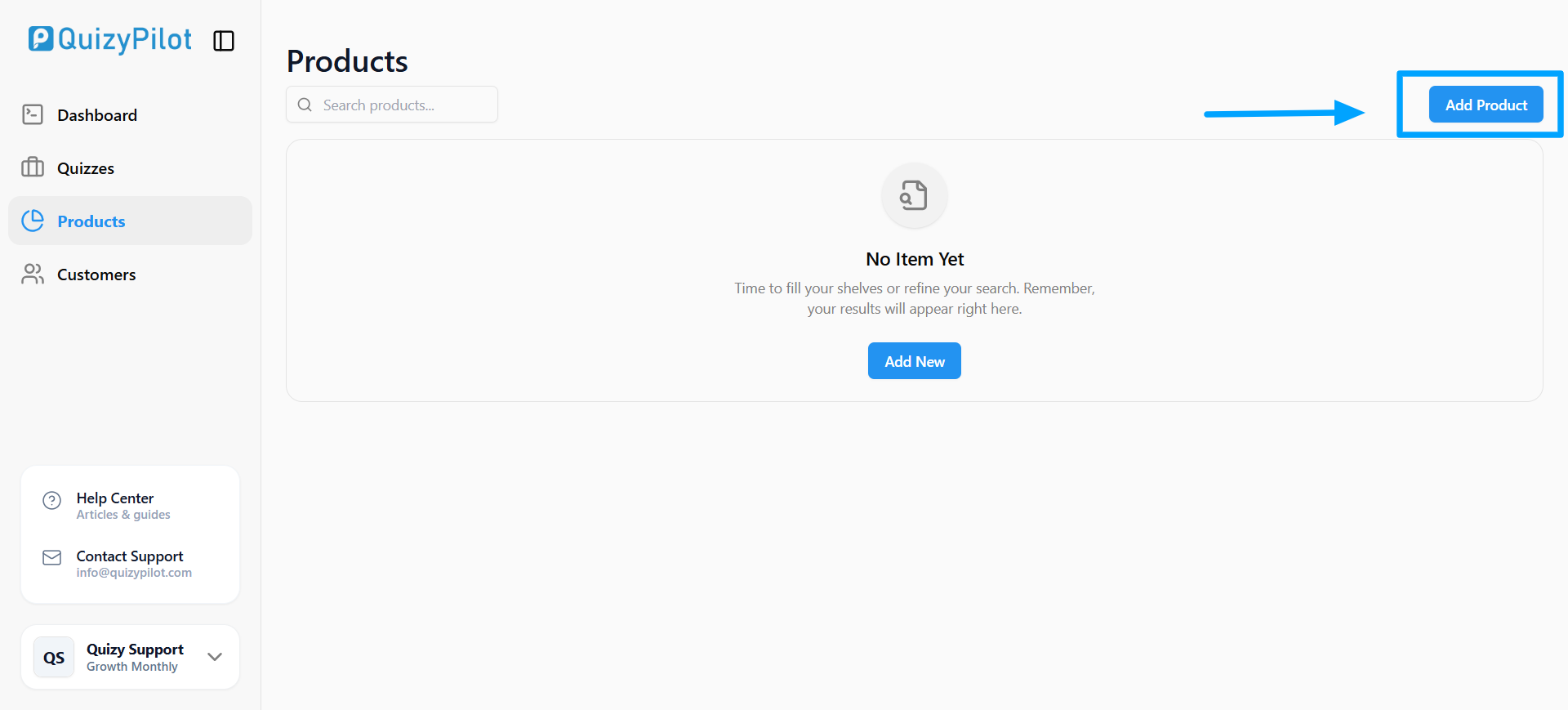
Step 2: Click Add Product
Inside the Products page, click the Add Product button at the top right corner.
This opens the product creation form.
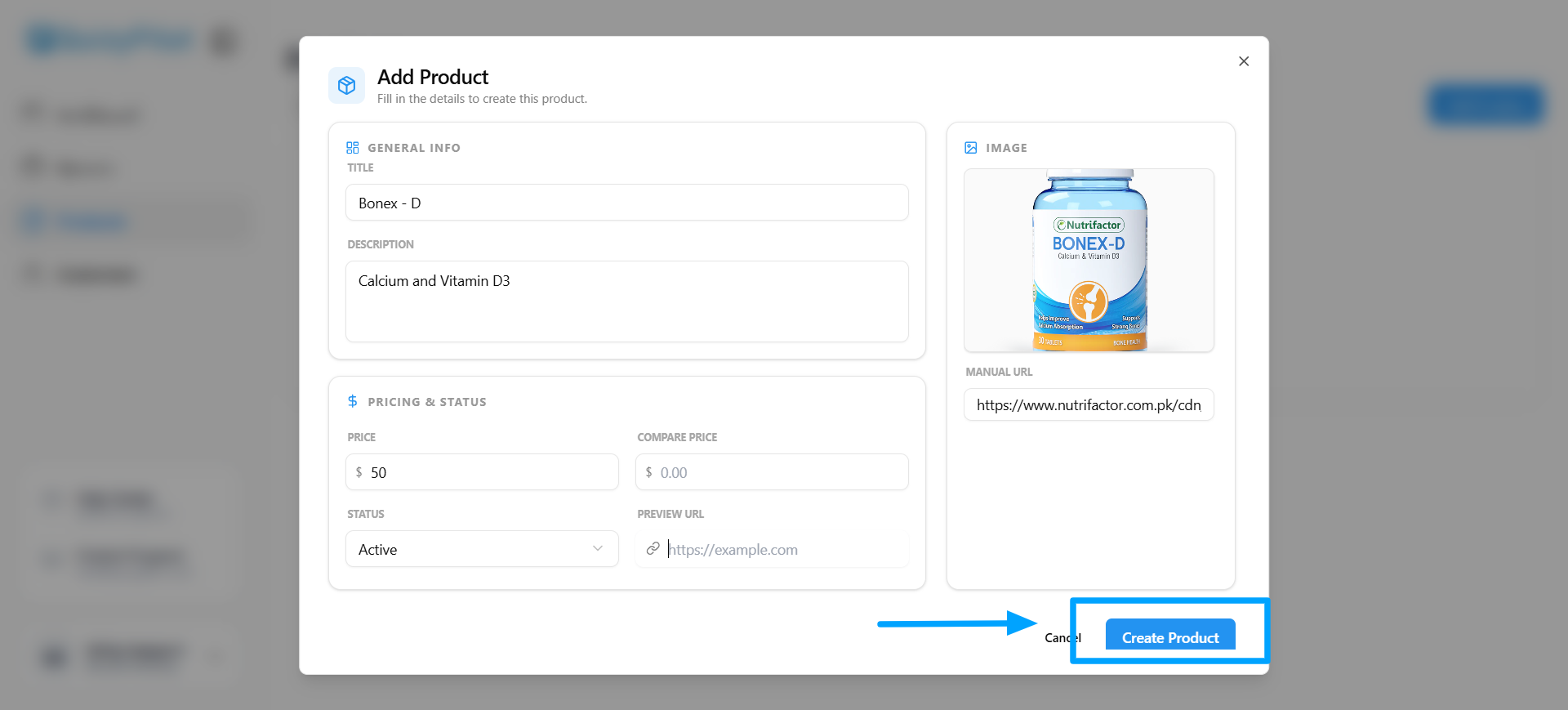
Step 3: Fill Product Details
Enter your product information including:
- Product title
- Description
- Price
- Compare price
- Product image
- Preview URL
- Status
After filling the details, click Create Product.
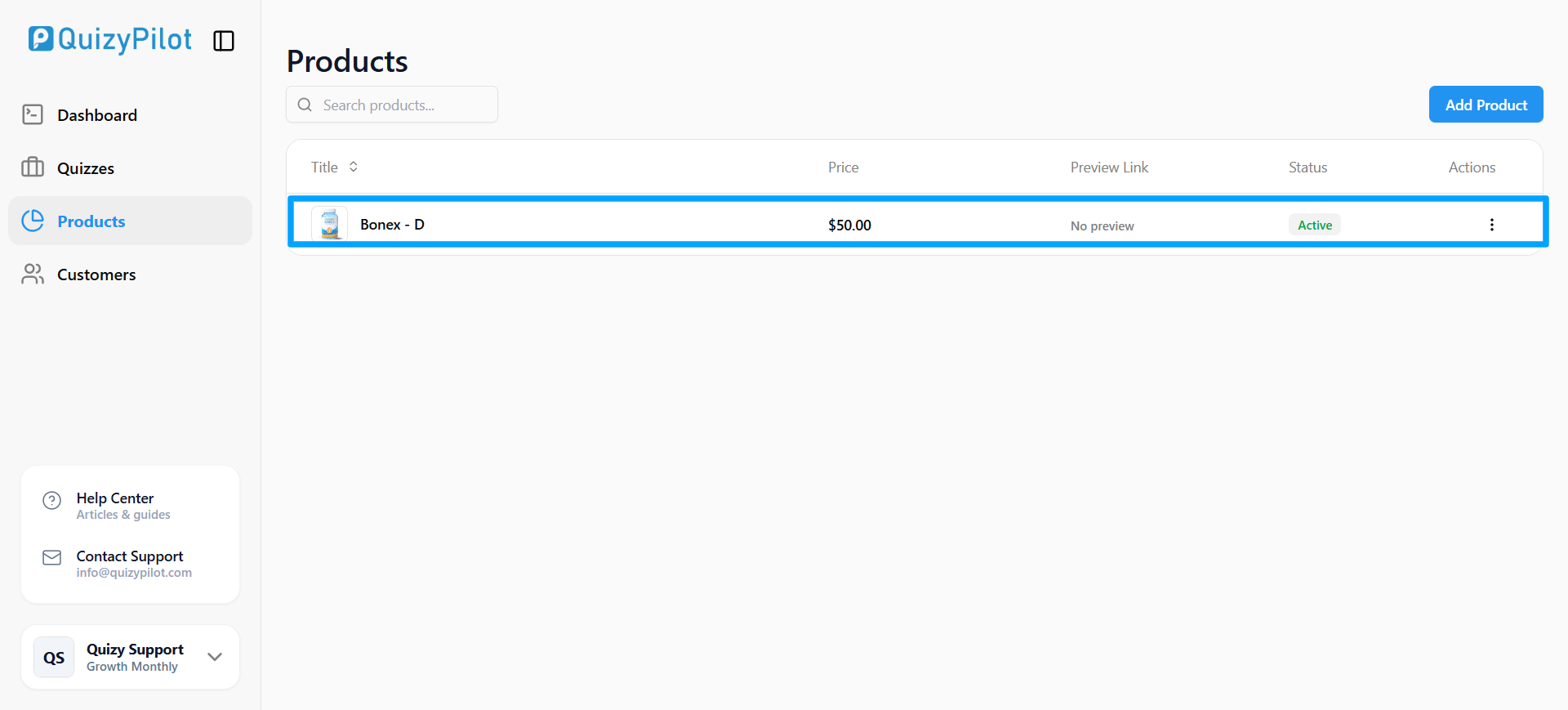
Step 4: View Your Added Product
Once the product is created, it will appear inside the Products list.
You can now use this product in your QuizyPilot product recommendation quizzes.
Final Thoughts
QuizyPilot allows you to quickly add and manage products for interactive Shopify quizzes.
With:
- Simple product setup
- Easy product management
- Flexible quiz integrations
—you can create personalized product recommendation experiences without coding.