
How QuizyPilot Customers Can Review Your App on Wix
How the QuizyPilot Customer Can Review Your App
QuizyPilot customers can leave a review for the app directly from their Wix dashboard.
Step 1: Open Manage Apps
Log in to your Wix dashboard.
Go to:
Apps → Manage Apps
Find QuizyPilot under your installed apps.
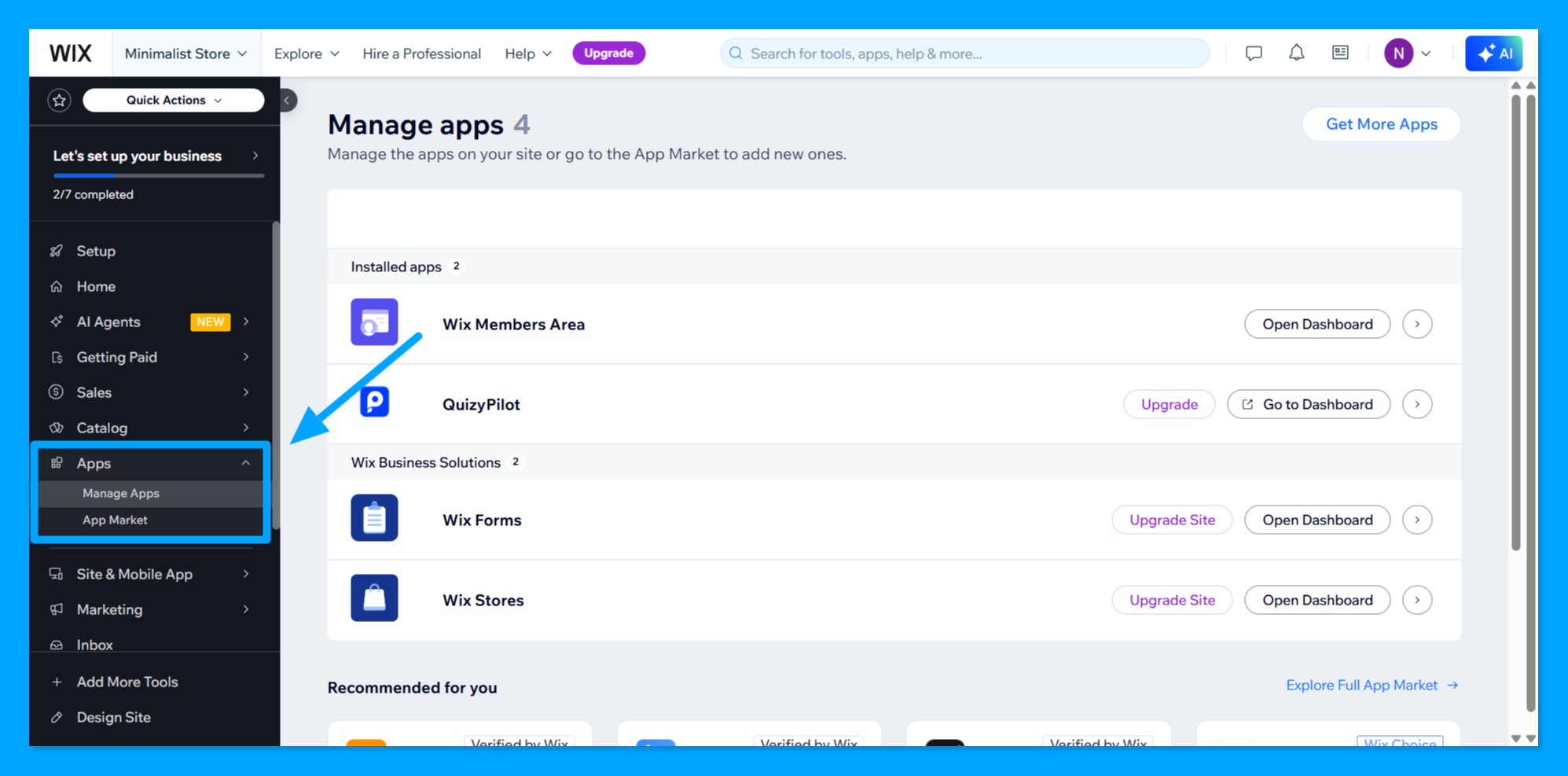 Wix Manage Apps page showing QuizyPilot under Installed apps.
Step 2: Open QuizyPilot Options
Find QuizyPilot in the installed apps list.
Click the arrow (→) on the right side of the QuizyPilot row.
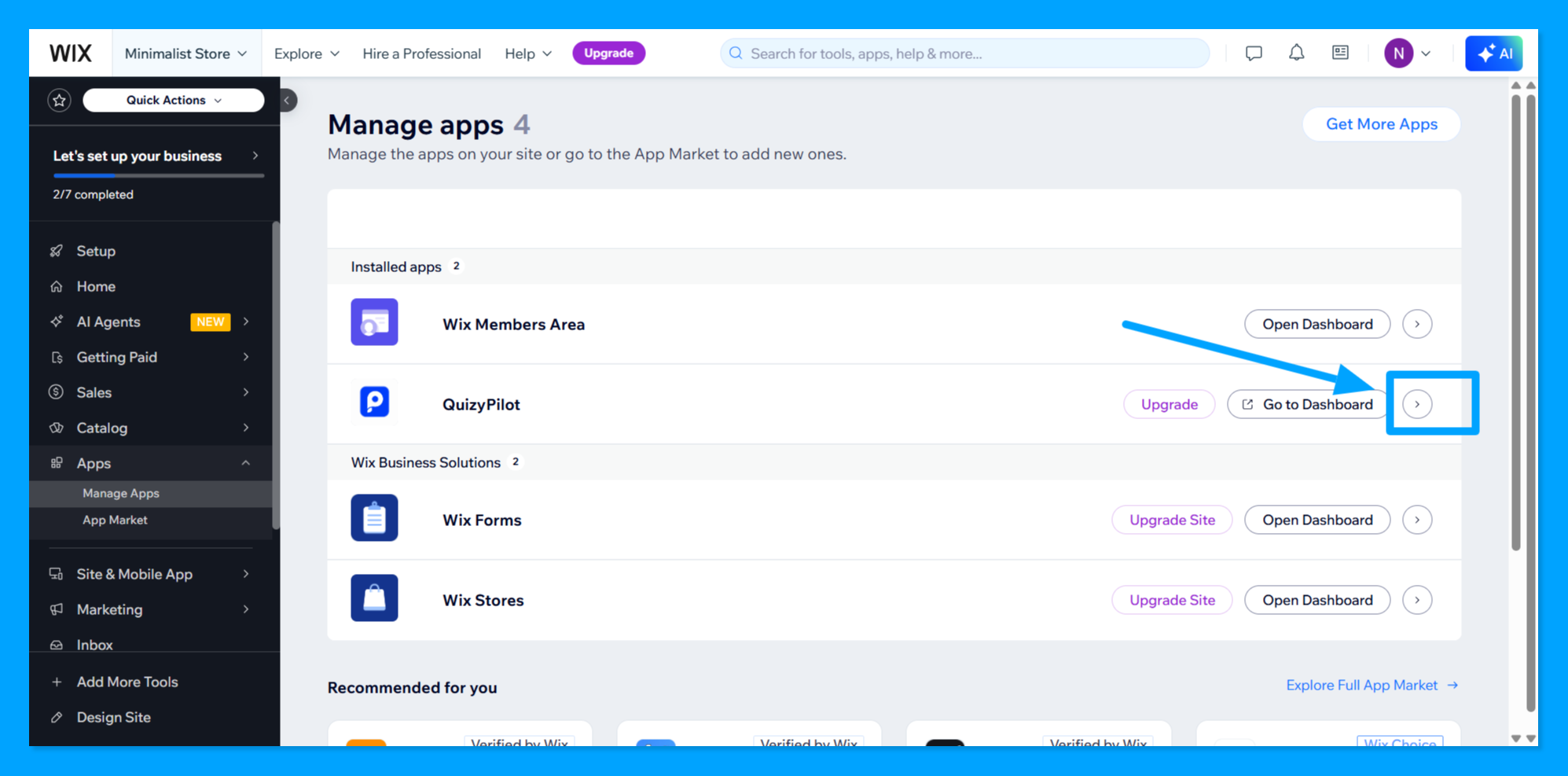 QuizyPilot row with the arrow button highlighted.
Step 3: Select Rate and Review
A menu will open on the right side.
Under Manage, click Rate and review.
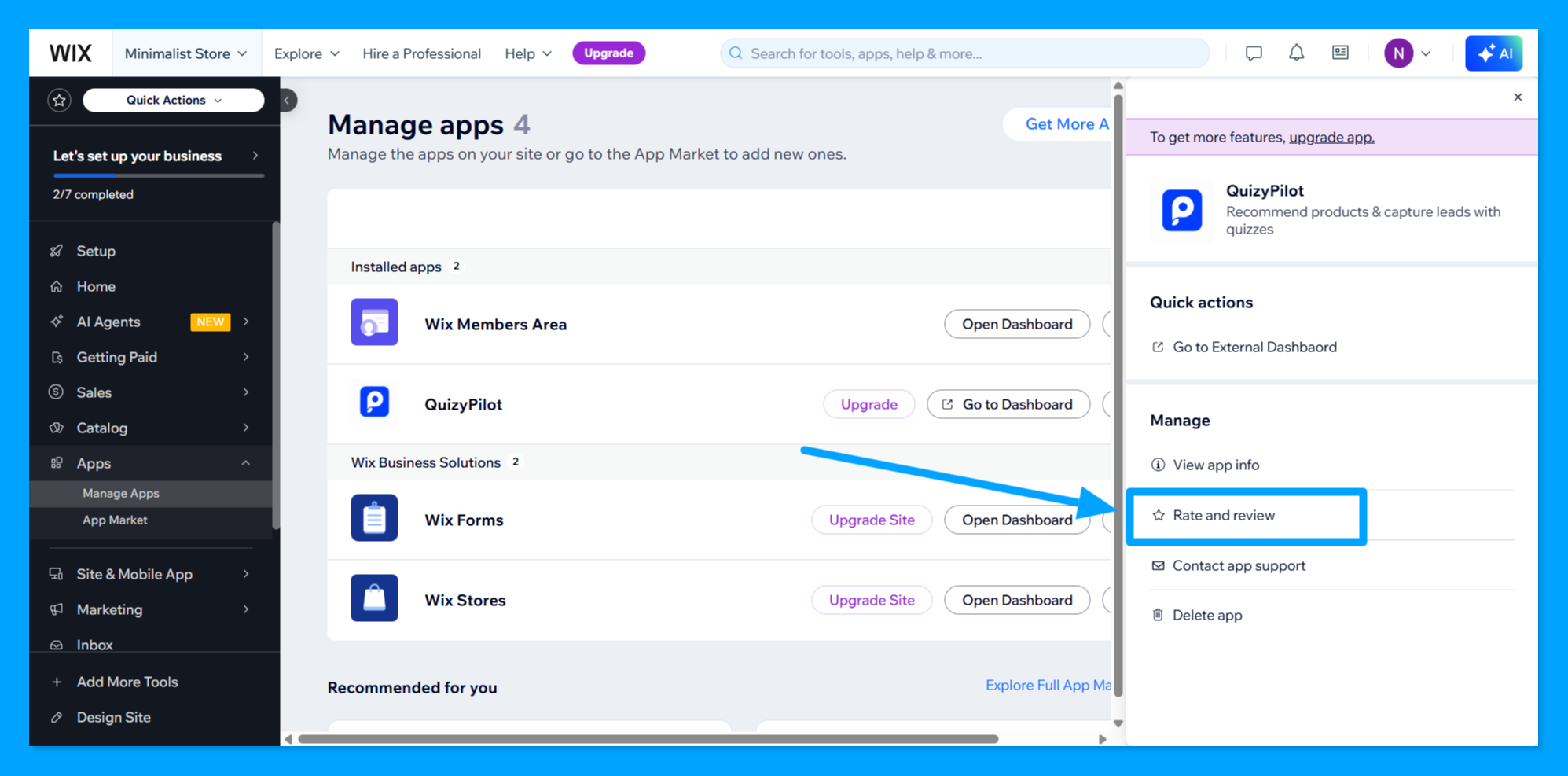 QuizyPilot app menu showing the Rate and review option.
Step 4: Write and Post the Review
The Share Your Experience window will open.
The customer can:
- Select a star rating.
- Enter a Review Title.
- Add a Review describing their experience with QuizyPilot.
- Click Post Review.
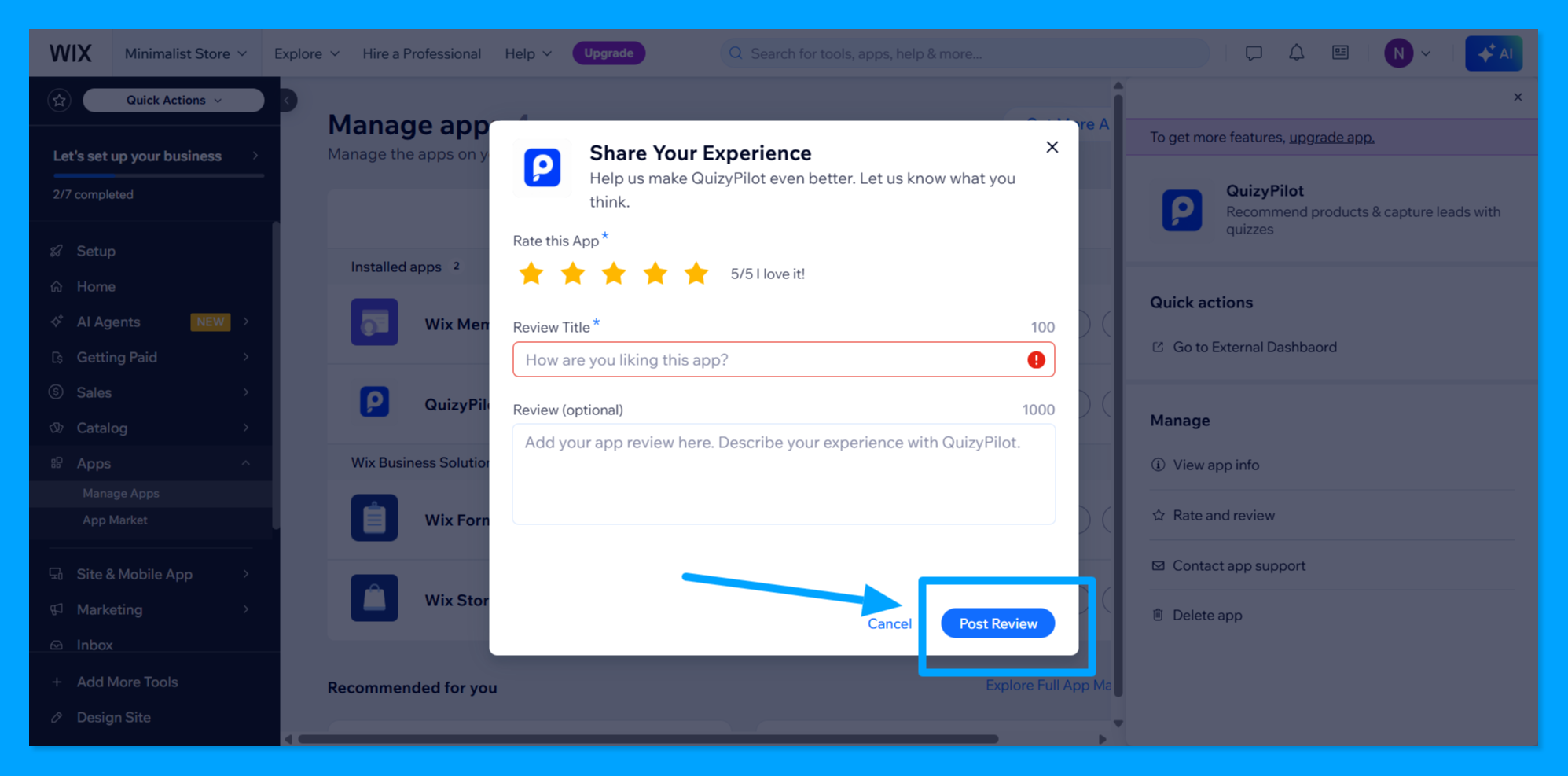 Share Your Experience window showing the rating, review title, review field, and Post Review button.
Done
The customer can now submit their review of QuizyPilot directly through their Wix dashboard.